


4.0557.25K Reviews
App Specs
- Version
- Varies with Device
- Updated On
- License
- Free
- Downloads
- 10,000,000,000+
- Developer
- Google LLC
- Categories
- Tools
- Platform
- Android, iOS
Screenshots
 Analysis by AppCompare
Alright, folks, let's dive into the world of Google, a name that’s practically synonymous with the internet. Whether you’re on Android or iOS, this app is your gateway to all things digital, and I’m here to give you the lowdown. So, grab a coffee, and let’s explore what makes this app tick.
The Heart of the Digital Universe
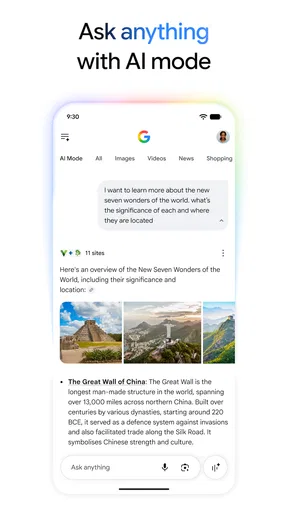
Let’s face it, Google is like that one friend who always has the answer to everything. You know, the one you text when you’re at a bar quiz and need to know who won the World Cup in 1998. The app is the mobile embodiment of this all-knowing powerhouse. From searching the web, checking your emails, to navigating the streets, it’s got it all.
Sleek and User-Friendly Design
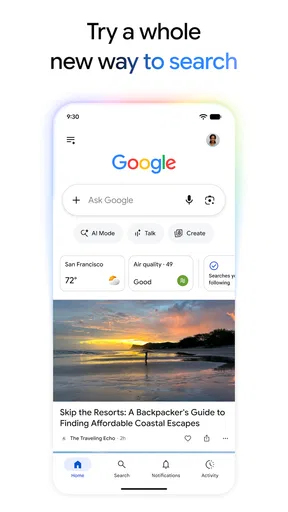
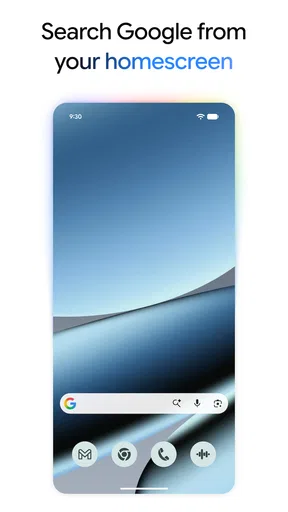
When you open the app, the first thing you notice is its clean, minimalistic design. It’s not cluttered with unnecessary bells and whistles, which is a huge plus if you’re like me and appreciate simplicity. The search bar is front and center, ready for whatever query you throw at it. Need to find out the weather, the latest news, or just settle a debate with a friend? It’s all there.
Guides and Analysis on Google
The app also integrates seamlessly with other Google services. You can hop over to Gmail, Google Maps, or Google Photos with just a tap. It’s like an all-access pass to the Google universe, and honestly, it’s pretty darn convenient.
Voice Search: Because Typing is So 2010
One of my favorite features has to be the voice search. Just say "Hey Google," and it’s like having your own personal assistant at your beck and call. I use it all the time when I’m cooking and my hands are a mess. Need a substitute for eggs? Just ask away. It’s fast, accurate, and feels a bit like magic.
Google Lens: Seeing is Believing
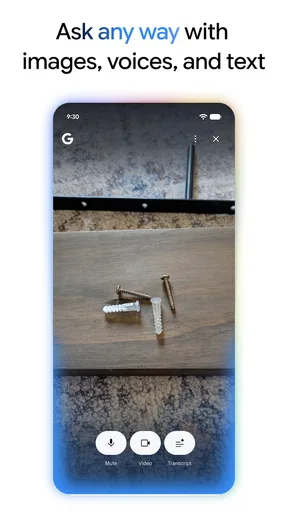
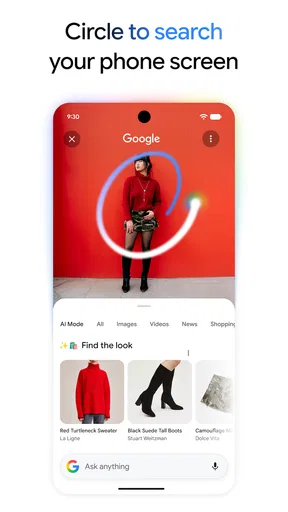
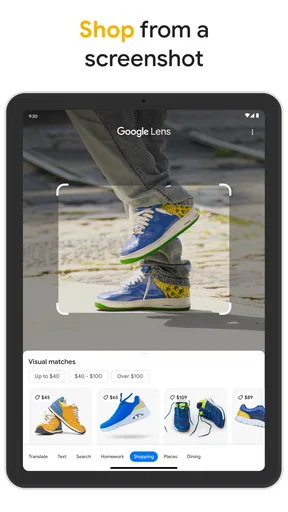
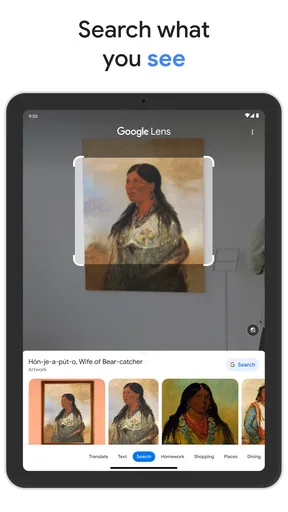
Now, let’s talk about Google Lens—this feature is a game-changer. Point your camera at anything, and it’ll identify it. I was at a museum once and wanted to know more about a painting. Boom! Google Lens had all the info I needed in seconds. It’s perfect for identifying plants, animals, and even translating text. Seriously, it’s like something straight out of a sci-fi movie.
Personalized Feed: News Just for You
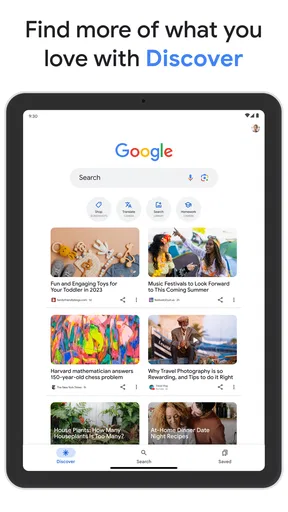
The personalized feed is another highlight. It curates news and articles based on your interests. It’s like having a newspaper that only features stories you care about. Whether it’s tech, sports, or entertainment, the app keeps you in the loop with the latest updates.
Worth Reading Before You Choose

Basketball Stars: Multiplayer Is Fast, but Can It Recover When Matches Go Wrong?

WEBTOON Turns Phone Updates Into a Better Reading Routine

Link to Windows Runs on Shared Habits, Not Social Feeds

How Alibaba.com Dominates the B2B Marketplace

Metro's Quiet Rise: Redefining Mobile Communication

Harnessing Ecosystem Power with Phone Tracker by Number
And let’s not forget the notifications. They’re timely and relevant, giving you a heads-up on everything from traffic conditions to flight updates. It’s like having your finger on the pulse of the world, without having to lift a finger.
Security and Privacy: Trust is Key
Of course, with great power comes great responsibility. Google takes security seriously, and the app is no exception. It offers robust privacy controls, letting you manage your data with ease. You can review your search history, manage activity controls, and even delete data if you want to go off the grid for a bit.
It’s reassuring to know that while Google is a giant in the tech world, it’s still focused on keeping your data safe and sound.
Overall, the Google app is a must-have for anyone looking to stay connected and informed. It’s a powerhouse of features wrapped up in a sleek, user-friendly package. Whether you’re a tech newbie or a seasoned pro, this app has something for everyone. So go ahead, give it a whirl, and see how it transforms your digital life.
Pros
- Wide range of services integrated seamlessly.
- Highly reliable search engine functionality.
- Frequent updates with new features.
- Comprehensive language support.
- Strong security and privacy settings.
Cons
- Requires a Google account for full features.
- Can consume significant device storage.
- Data usage might be high on mobile.
- Ads can be intrusive at times.
- Some features require a stable internet connection.
FAQs for Google
What is Google Search and how does it work?
Google Search, commonly referred to as Google, is a web search engine developed by Google LLC. It uses a proprietary algorithm to retrieve and rank web pages related to user queries. By indexing billions of web pages, Google provides results based on relevance, updated information, and user preferences, making it a powerful tool for finding information online.
Is Google Search available for both Android and iOS devices?
Yes, Google Search is available for both Android and iOS devices. Users can access Google Search through web browsers or by downloading the Google app, which offers enhanced features like voice search and personalized content. The app ensures a user-friendly experience and seamless integration with other Google services.
What features does the Google app offer beyond basic search?
The Google app offers a variety of features beyond basic search, including voice search, personalized news updates, and Discover feed for trending topics. It integrates with Google Assistant for hands-free help and supports Google Lens for visual searches. Users can also track packages, check the weather, and set reminders directly from the app.
Are there any privacy concerns with using Google Search?
Privacy concerns with Google Search typically revolve around data collection and user tracking. Google collects data to improve personalized experiences and targeted advertising. Users can manage their privacy settings through the Google Account dashboard, where they can control data collection, manage search history, and review security settings.
How can I optimize my searches using Google Search?
To optimize searches with Google Search, users can employ advanced search operators, such as quotes for exact phrases, minus signs to exclude words, and site: to search within a specific domain. Additionally, using Google’s search filters like time or location can refine results, while voice search can provide quick answers to straightforward queries.


